Live cards: weather, prices and more
Ask a bot about the weather, a price, an exchange rate or the time somewhere, and it answers with a card of real data and a sentence, not a paragraph pieced together from search results. Every card says where its numbers came from and when, and keeps itself up to date while you look at it.
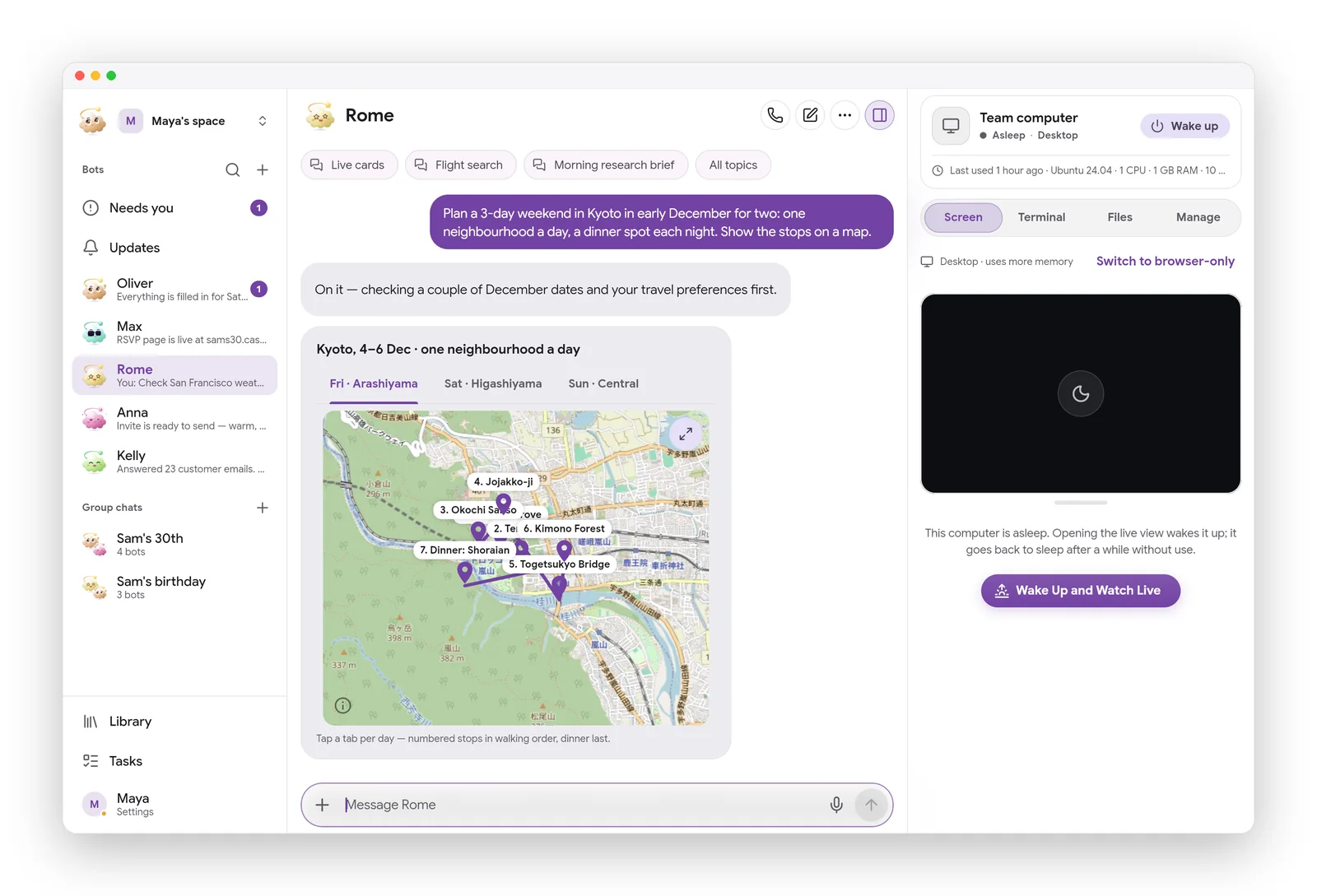
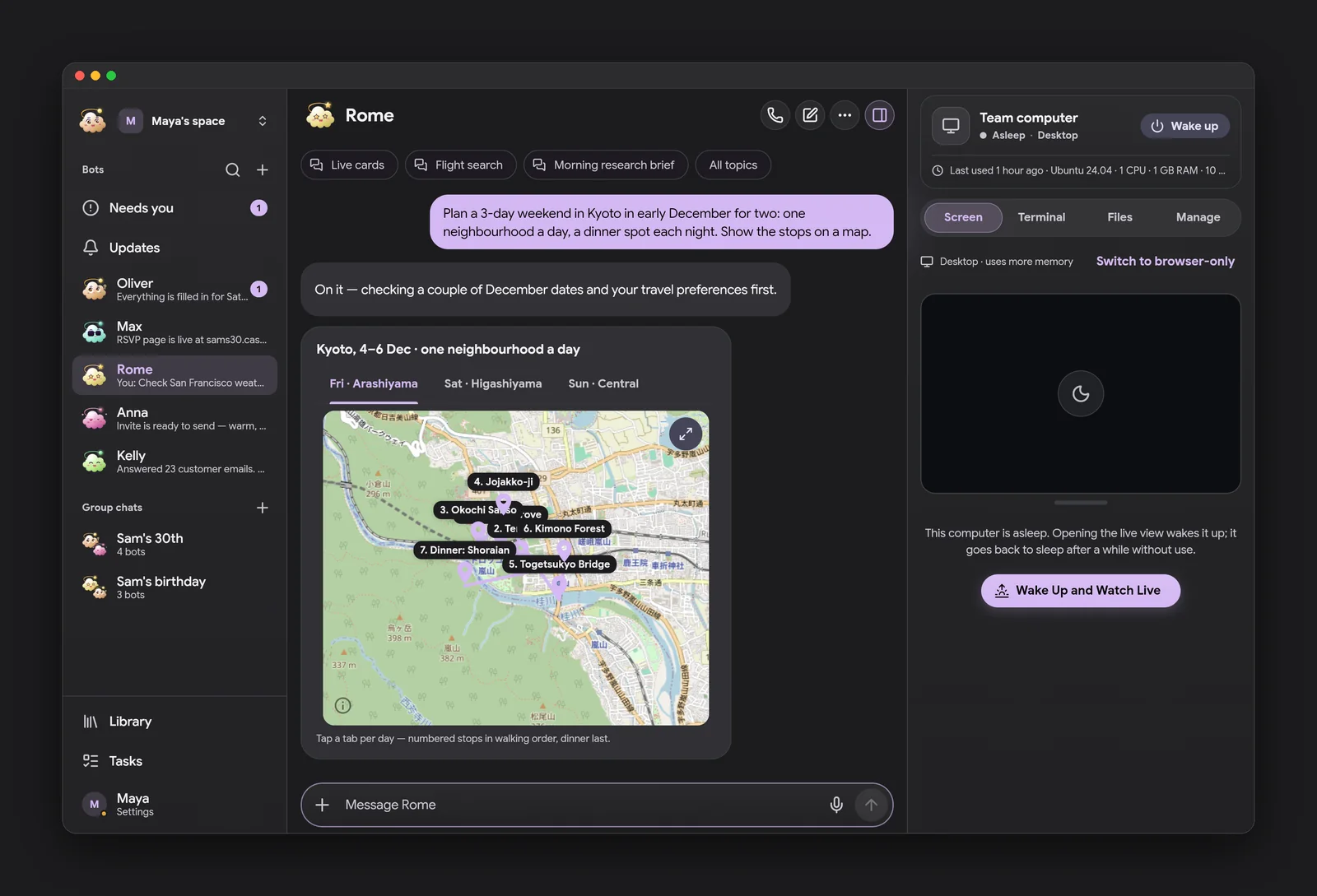
What bots show as cards
| Ask about | You get |
|---|---|
| The weather now, today, tomorrow, a weekday or the week | A weather card with the sky as it is, the hours ahead, rain chance, wind, UV and sunset; switch between Now, Today, Tomorrow and 7 days |
| Air quality, sunrise and sunset, the moon | Air quality with its band and pollutants; a sun and moon card with golden hour and the moon's phase |
| Weather warnings (US) | The alerts in force, with what to do |
| A stock, an index or a coin (AAPL, PSEi, Bitcoin) | A price card with a chart you can scrub, ranges from 1 day to 5 years, the day's and year's range; several at once make a watchlist |
| Market movers, the market today | Top gainers, losers and most active; major indexes, gold, oil and bitcoin |
| Changing money (USD to PHP) | A converter you can type into and swap, with the 30-day trend |
| The time in other places, or a meeting time across zones | A world clock that keeps ticking |
| Public holidays | The next ones, with long weekends marked |
| Earthquakes, typhoons and storms | A map and list, nearest first |
| A word, a person, a place or a thing | A dictionary card (with pronunciation) or an encyclopedia summary |
| A book | Its cover, author, year and rating |
| Flight prices on set dates ("cheapest flight Manila to Tokyo March 12–19") | A fares card with real prices, airlines, times and stops; a strip of the days around your date; sort and filter (cheapest, fastest, direct, time of day, airline, bag included); tap a fare to see every flight and layover; Book opens the booking page |
| The cheapest day to fly ("when is it cheapest to Tokyo in March?") | A calendar of the month with the cheapest price for each day, marked low, usual or high; tap a day for its fares |
| Where to go ("where can I fly from Manila for under ₱8,000 in March?", "cheapest places in Japan") | A map and list of the cheapest places, one fare per city; tap a place for its dates |
| One option in full ("tell me about the second one") | Every flight, the layovers between them, bags, and anything to look at twice |
| Book now or wait ("is this a good price for Manila to Tokyo in March?") | A price trend card: the cheapest fare now, Google Flights' usual range for the trip with where today sits in it, and how the price has moved. It counts as one Google Flights search |
| Your price watches ("how are my price watches?") | Each watched trip, hotel or product with its price now, how it has moved, its target and when it ends |
| Places to stay ("hotels in Shinjuku March 12 to 15 under ₱8,000") | A stays card with real prices from many booking sites: photo, stars, guest rating, distance, the cheapest site and its terms; sort and filter (cheapest, top rated, closest, free cancellation, breakfast), a map with price pins, and compare up to four side by side |
| One hotel ("how much is Hotel Gracery, March 12 to 15?", "tell me about the second one") | Every booking site's price for it with its terms (free cancellation, breakfast, pay at the hotel), amenities and a map. Ask for photos, reviews or what's nearby and Google's page for it is added, which counts as one Google search |
| When to go ("when is Tokyo cheapest?") | Hotel prices by month for 3, 4 and 5 stars, the cheapest month marked. A forecast, not live prices |
| Things to buy ("wireless earbuds under ₱2,000") | A products card from your country's stores: picture, price, any discount, rating and store; sort and filter by store; compare up to four |
| Where it's cheapest ("where is the third one cheapest?") | One product with its price, delivery cost and total at every store, lowest first, with what it is and what buyers say |
| Booking a stay or buying something ("book the second one", or Book for me on a hotel's card, Buy for me on a product's) | Before anything is paid, a Check before I pay card with what it is, the seller, the dates or quantity and the total. Nothing is paid until you tap Confirm; Change or Cancel stops it. The bot then does the booking or purchase in its browser |
| A booking or order it made, or a confirmation email it read | A Your booking card (site, check-in and check-out, the confirmation number to copy, what was paid) or an order card with its number and where it is: ordered, shipped, out for delivery, delivered |
| A parcel's tracking number | Where it is, from DHL or a tracking service where the server has them; otherwise Track on … buttons for the carrier's own page, which the bot can also open in its computer's browser and read for you |
| Scores and standings (NBA, EPL, LaLiga, F1 and more) | Today's games with live scores, or the table |
| A recipe, product, film or event link | A card from the page's own data: a recipe's real ingredients scale with the servings you pick |
Bots also make cards from what they know or found: recipes, comparisons, pros and cons, steps, timelines, loan, savings, tip and unit calculators, dice and pickers, translations, contacts, quizzes, nutrition labels and countdowns. Those say Written by the bot; it may be wrong unless they name their source.
Ask for a morning brief or a trip at a glance and several cards come together in one grid. Your daily morning brief starts with one.
If you name a specific site or ask the bot to use your own browser (for example "via Google Flights" or "open it in my browser"), the bot uses what you asked for instead of substituting a live card.
What you can do with a card
- Refresh: cards on screen update on their own (weather every half hour, prices every minute while markets are open). Tap the refresh button for the latest now. This doesn't use the bot or your credits.
- Other views: tap Today, Tomorrow or 7 days on a weather card, or 1D to 5Y on a price.
- ⋯ menu: pin the card to your widgets (it keeps updating there by itself), copy it as text, share it as a picture, or report wrong data.
Flight fares come from Kiwi.com first and from Google Flights when Kiwi has nothing. A Kiwi search is free. On Casama Cloud, a Google Flights search that finds fares costs $0.05 of credits and shows in the reply's usage; each plan has a few a day (Free 3, Plus 20, Pro 50, Max 100). Fares are checked again on the booking site before you pay, and Casama doesn't sell tickets.
Moving around a flight card doesn't wait for the bot. Tap another day on a fares card's strip, a day or the arrows on a calendar, or a place on the map card, and the app asks the server directly. It's free and takes about a second. These always use Kiwi.com, never Google Flights. Open in chat in the sheet asks the bot for that search, so you get a fares card you can watch.
A calendar is for one way, or for a return trip of a set length ("for 5 nights"): each day's price is for leaving that day. A calendar's prices are kept for up to 6 hours; the day's own fares are fresh.
Exploring works for "anywhere" (you can say abroad only, or home country only, and give a budget) or for one country. Regions such as "Europe" aren't supported.
A fare can carry warnings: Separate tickets (different airlines on one way of a Kiwi.com fare, so a missed connection may not be covered; ask for "no separate tickets" to leave these out), an overnight layover, a change of airport, and a layover under an hour or over 8 hours.
When you ask for flights without saying where or when, the bot shows a short form: places with airport lookup (or Anywhere), dates or a Whole month, travellers and cabin. Edit search on any flight card opens the same form filled in. You can also ask for a budget, only or without certain airlines, a time of day to leave, a checked bag priced in, or a longest trip time.
When Google Flights answered, the fares card also shows Google's price history for the route as a small chart.
Parcels are looked up with DHL's own service for DHL numbers, which is free. For other carriers Casama Cloud asks a tracking service: a lookup that finds the parcel costs $0.02 of credits, one that finds nothing is free, and asking again within the hour or refreshing the card costs nothing. Each plan has a few paid lookups a day (Free 3, Plus 15, Pro 40, Max 80). When that isn't available, the card links the carrier's own tracking page.
Watch a price: tap Watch price on a fares card, on one hotel's card or on one product's card, or ask the bot to watch it. You can set a price to wait for, or leave it empty for any big drop (10% or more). Casama checks the trip every few hours, for free, and sends you a notification when the price drops, at most once a day. A watch stops after the departure date or in 60 days; stop it sooner on the card or in Settings > Cards. Hotels and products are checked twice a day. A product is watched on Shopify, or on its store's own page; where that page can't be read, the card says it can't be watched. A workspace can watch 10 prices at a time. The card's watch row and the watches card show how the fare has moved since you started watching. Each person sees only their own watches, also in a shared chat.
Some booking links may be affiliate links. When they are, the card says Casama may earn a commission; the price you pay is the same.
Prices from stock markets are delayed by about 15 minutes, and cards say so. Nothing on a card is financial advice, and no card buys or sells anything.
Home city and units
Open Settings > Cards:
- Home city is used when you ask without naming a place ("will it rain later?"). Only a city is kept, never your address. Without one, bots use your time zone's main city.
- Units for temperature, wind, rain and distance. Until you choose, they follow your time zone.
- Red means up shows rising prices in red, as markets in China, Japan and Korea do.
- Data sources lists the services behind the cards, with their credits.
Privacy
When a card is made or refreshed, the data service gets only what is looked up: a place rounded to about a kilometre, a ticker, a currency, a word, a trip (places, dates, how many travellers), a stay (the place, dates, guests) or what you're shopping for and your country. It never gets your name, account or chat. See Privacy and security.
Self-hosting
Live cards work with no keys: weather, rates, crypto, earthquakes, storms, holidays and reference come from free public services. Servers that bill people need their own keys for a few of them, because some free services are for non-commercial use only. See LIVE_* in .env.example.
Flight fares work with no key through Kiwi.com's MCP server. To add Google Flights, set LIVE_SERPAPI_KEY (a SerpApi key) and keep LIVE_SERPAPI_MONTHLY_CAP under your SerpApi plan; LIVE_FARES=off turns fares off. Price watches need nothing extra; they use Kiwi.com only. To earn from bookings, set LIVE_FARES_AFFILIATE_URL to your affiliate network's link with {url} where the booking page goes (LIVE_FARES_AFFILIATE_HOSTS lists the booking sites it applies to, default kiwi.com). For a Compare on Aviasales button under each Fares card, set LIVE_FARES_COMPARE_URL to your affiliate link with {url} where the Aviasales search page goes, for example a Travelpayouts https://tp.media/r?marker=…&trs=…&p=4114&u={url} link.
Hotel prices work with no key through trivago's MCP server, and product prices through Shopify's catalog. With LIVE_SERPAPI_KEY set, Google Hotels answers when trivago can't, and Google Shopping answers product searches first (it is the one source with every store of a country); each Google search counts toward LIVE_SERPAPI_MONTHLY_CAP and, on servers that bill, costs the workspace credits like a Google Flights search. LIVE_STAYS=off and LIVE_PRODUCTS=off turn them off; LIVE_STAYS_ORDER and LIVE_PRODUCTS_ORDER set the order (trivago, google, shopify). Shopify asks who is calling: LIVE_SHOPIFY_PROFILE_URL names a public file that says so (Casama's by default). Price watches on hotels and products use the free sources only. To earn from links, set LIVE_STAYS_COMPARE_URL (a Compare on Booking.com link, an affiliate link with {url}) or LIVE_PRODUCTS_AFFILIATE (store links by host, as JSON); cards with one say so.
The calendar, the places card, the strip of days and taps on them need Kiwi.com (the default). A server set to LIVE_FARES_ORDER=serpapi keeps the fares card and its details only. Nothing new to configure.
Parcel tracking works with no key: the card links the carrier's tracking page. For live status, set LIVE_DHL_KEY (DHL's free Shipment Tracking API from developer.dhl.com, 250 calls a day, for DHL numbers), LIVE_SHIP24_KEY (Ship24, any carrier; its free plan is 100 calls a month, so keep LIVE_SHIP24_MONTHLY_CAP under your plan) or LIVE_17TRACK_KEY (17TRACK, paid, any carrier). Bots can also offer AfterShip's free tracking MCP server for personal use.